
Compliance teams often manage controls, evidence, assessments, risks, and conformity activities across fragmented workflows. Over time, that fragmentation creates duplication: the same evidence is requested repeatedly, control context is recreated across assessments, and teams spend more effort reconciling assessment activity than using it to understand the current state of compliance.
V7 is designed to reduce that fragmentation by introducing a more connected model for control-based governance. With the new Living Control Set module, conformity overlays, and reusable evidence, teams can maintain a current control foundation, evaluate changes against that foundation, and reuse supporting evidence across assessment cycles while preserving traceability.
The outcome is a faster, more efficient path to continuous compliance. Instead of treating each assessment as a disconnected point-in-time exercise, V7 helps teams build on prior work, understand what has changed, and keep control activity connected to evidence, risk, and conformity context.
The major new capabilities in this release are:
- Living Control Set Dashboard: a centralized view of the current control set and latest iteration data.
- Conformity Overlays: a way to compare conformity assessment activity against the Living Control Set and understand deltas.
- Evidence Reuse: the ability to reuse evidence across iterations while maintaining version history and traceability.
💡To support these capabilities, this release connects to several supporting articles, including Living Control Set creation, conformity overlays, and evidence reuse.
Living Control Set: The Foundation for Continuous Control Governance
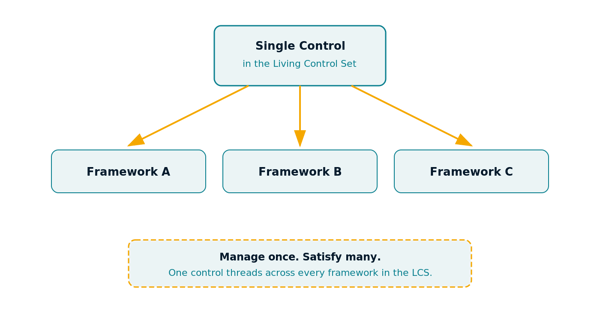
The Living Control Set is the foundation of the V7 control-based governance model. It gives teams a persistent control structure that can evolve over time, rather than requiring every assessment cycle to recreate the same control context from the beginning.
The Living Control Set Dashboard provides a centralized view of the latest iteration data, helping users understand the current state of the control set and the activity connected to it. This gives teams a clearer operating view of their control environment and supports a more continuous approach to governance.
Users can create a Living Control Set through a guided setup experience or from an existing engagement. This allows teams to begin with a new control structure or build from assessment work they have already completed.
The key concept here is that the Living Control Set is not simply another assessment. It is the control foundation that allows future assessment, conformity, evidence, and risk activity to connect back to a maintained control baseline.
What is the Living Control Set?
Establishing a Living Control Set
Living Control Set Dashboard
What's included:
-
Added enablement and inheritance settings for the CRT operational model at the organization and client levels, introducing the Living Control Set for Assessment Management. (#3801)
-
Added the Living Control Set Dashboard to provide a centralized view of the latest iteration data. (#3821)
-
Added a Living Control Set setup wizard to guide users through creating and initializing a Living Control Set engagement. (#3823)
-
Added the ability to create a Living Control Set from an existing engagement. (#4144)
Conformity Overlays: Connecting Assessments Without Recreating the Control Story
Conformity overlays are where V7 starts to separate itself from traditional assessment management. Instead of forcing every new assessment to stand alone, conformity overlays allow teams to evaluate assessment activity against the Living Control Set.
This supports a more precise way to understand what changed, what aligns, and what needs attention. Teams can view conformity assessment activity in relation to the Living Control Set, review related conformity details from the control record, and use delta analysis to determine whether changes should be merged into the Living Control Set or preserved as a standalone engagement.
This is also where the distinction between threading and mapping becomes important. Mapping connects similar or related controls across frameworks. Threading preserves the continuity of a control over time, across iterations, overlays, and assessment activity. That distinction matters because continuous compliance requires more than knowing two controls are related. It requires understanding how a control has evolved, what evidence supported it, and how conformity activity has affected the current control state.
The value for users is reduced rework and clearer control lineage. Teams can compare new activity against the maintained control foundation instead of rebuilding the control story every time.
What's included:
- Added the ability to create Conformity Assessments when the Living Control Set is enabled. (#3845)
- Added a Conformity tab within control details of the Living Control Set engagement to display related conformity assessments. (#4065)
- Enhanced the conformity assessment workflow to support delta analysis against the Living Control Set, with options to merge delta controls into the Living Control Set or save as a standalone engagement. (#4200)
Reusable Evidence: Reducing Duplication While Preserving Traceability
Evidence reuse addresses one of the most common sources of compliance inefficiency: collecting or uploading the same evidence repeatedly across assessment cycles.
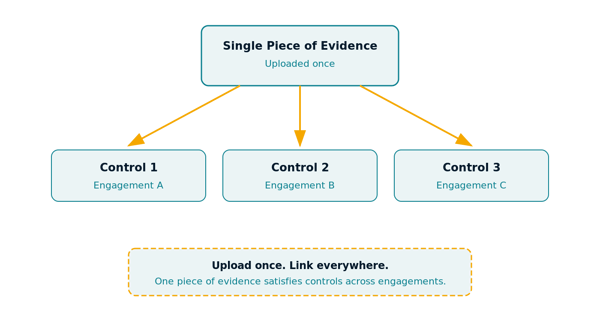
In V7, users can reuse evidence across iterations while maintaining version history and traceability. This allows teams to rely on existing evidence when it remains applicable, while still preserving the record of where and how that evidence was used.
Reusable evidence supports the broader Living Control Set model because evidence is no longer treated as a one-time attachment to a single assessment event. Instead, it becomes part of the ongoing control record. Teams can reduce repetitive evidence requests, improve consistency across assessment cycles, and retain a clearer history of evidence usage over time.
The outcome is both operational and strategic: less duplicate evidence work, better continuity across assessment cycles, and stronger traceability for audit and governance purposes.
What's included:
- Added evidence reuse functionality to allow reuse of evidence across iterations while maintaining version history and traceability. (#3349)
- Added a new Evidence Admin entitlement granting access to all engagement-level evidence. (#4246)
Third-Party Risk Management Improvements
V7 includes several targeted updates to Third-Party Risk Management, improving visibility into risk levels, simplifying assessment workflows, and expanding the detail available at the solution level.
What's included:
- Added a Risk Level column option to the assessment list to display the overall risk for each assessment. (#3783)
- Added a Clone option to allow users to duplicate existing profile requests. (#3880)
- Added a Technical Contact field at the solution level to track the primary contact for each solution. (#3907)
- Added a Canceled status to distinguish canceled assessments from completed ones. Canceled assessments are now clearly identified while still behaving as closed records. (#3992)
Assessment Management Enhancements
Beyond the Living Control Set and conformity capabilities, V7 includes several enhancements to the core assessment management experience.
What's included:
- Added flexible scheduling for automatic iteration creation, allowing users to customize frequency beyond a fixed month interval. (#3529)
- Enhanced Assessment Objectives (AOs) to support evaluation methods such as Answer Select and Maturity in addition to response type. Users can now define AO response options, track maturity statuses, and control whether AO status contributes to control scoring and analysis. (#3895)
- Enhanced the assessment form by introducing a Risk & Threats tab. Users can now select from Risk and Threat Catalogs and manage threats at the control level. (#3899)
- Added support for control-level Summary and Implementation Solution fields to ensure controls without Assessment Objectives can capture required SSP details. These fields can be enabled at the assessment type level. (#3929)
- Added Includes and Not Includes operators for multi-select answers in assessment logic, allowing logic to trigger when one or more selected values are present without requiring an exact match. (#3888)