Purpose
This module helps CRT users:
-
Monitor and improve compliance practices
-
Visualize progress and accountability
Key Concepts & Terms
Customer Initiatives
Allow users to create and track activities that need to be managed outside of a specific engagement or practice.
Goal States
Compares Current State to Target State maturity levels, highlighting gaps and progress.
Horizons & Work Streams
-
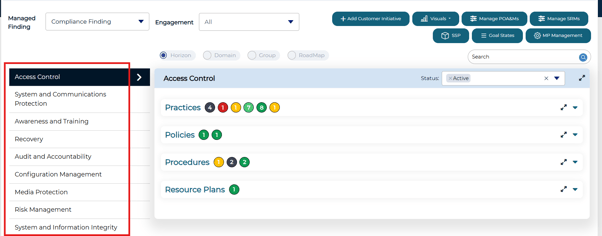
Horizons: Grouping of work efforts with commonality. These can be uniquely named or managed as similar items, timelines, or departmental work effort based on compliance deficiencies.
-
Work Streams: Within a Horizon, there are Work Streams which allow the work efforts within a Horizon to be organized.
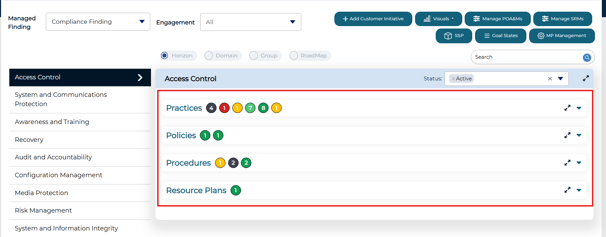
- These are both managed under MP Management
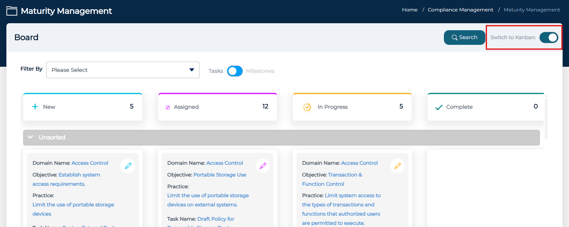
Kanban View
A drag-and-drop board showing task progress across phases New → Assigned → In Progress → Completed.
Managed Finding
Managed Findings represent compliance deficiencies or gaps identified during an assessment. Once a finding is created, it can be tracked, tasked, and monitored within Maturity Management.
Shared Responsibility Matrix (SRM)
Documents ownership of controls (e.g., Client vs. Vendor).
System Security Plan (SSP)
Consolidates all security-related details from an engagement, providing an audit-ready report.
Accessing the Module
-
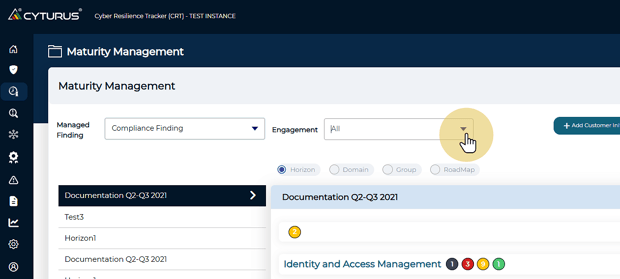
From the Homepage, choose Maturity Management.
-
Select either Compliance Finding or TPRM Finding.
-
Use the Engagement dropdown to select the engagement you wish to manage.
Create a Managed Finding
There are two ways in which a Managed Finding can be created.
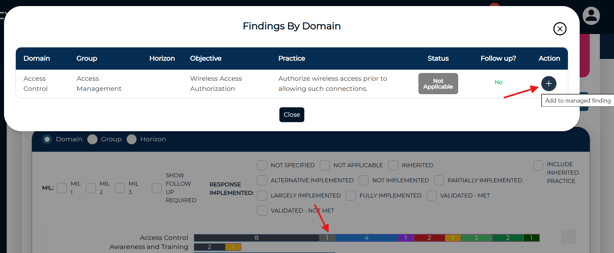
- On the Assessment Management Dashboard
- Select an engagement and iteration to view
- Select a status on the bar graph and select the '+' icon
- Within an Assessment Practice
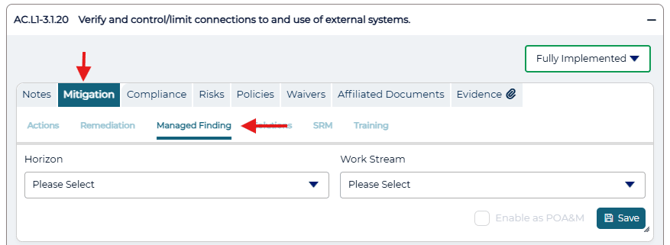
- While viewing a control, select the Mitigation tab and then select Managed Finding
- For Third-Party Risk Management assessments, select the Manage Finding tab
- Select the Horizon and Work stream and then Save
- While viewing a control, select the Mitigation tab and then select Managed Finding
Managing a Finding
Once a Managed Finding has been created, it can be actively managed within the Maturity Management.
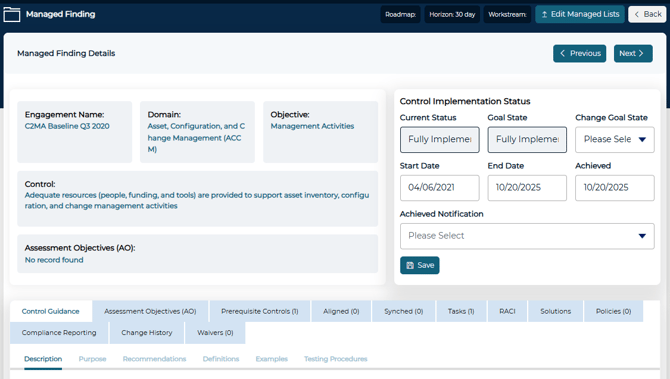
Managed Finding Overview
Each Managed Finding includes a centralized view where users can:
-
Review finding details and status
-
Track remediation progress
-
Assign various tasks
-
Add relevant notes and updates
Adding and Managing Tasks
Tasks allow teams to break remediation work into clear, actionable steps.
Creating Tasks
Tasks can be created in several ways:
-
Select Create Task, then choose Add New Task.
-
Add tasks from the Task Library.
-
Create Milestones to track key points
Enter all required fields along with any additional information needed, then save the task.
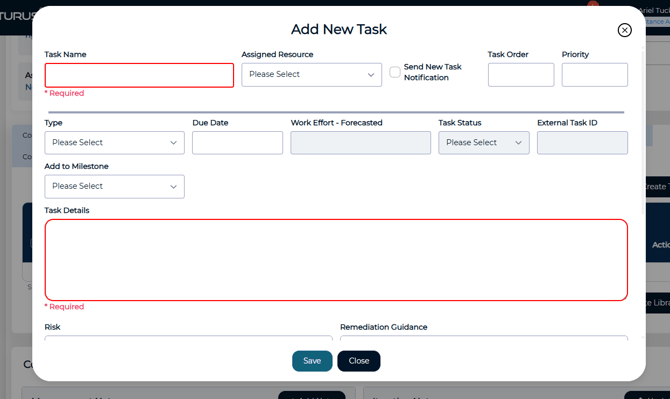
Once created, tasks appear in the task list and can be managed from there.
Updating Task Progress
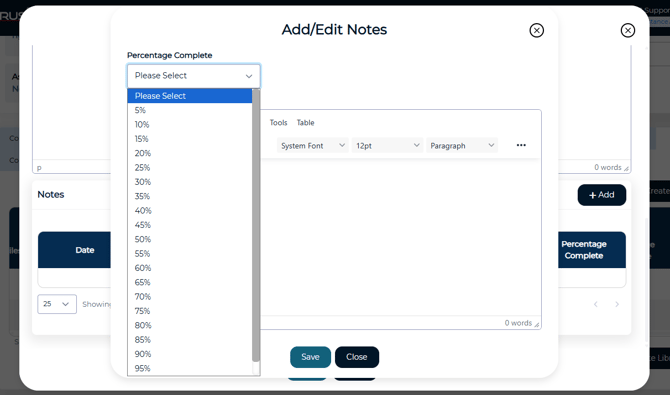
Task progress is tracked using Percent Complete.
-
Select Add a Note on the task.
-
Enter a progress note and select the updated Percent Complete value.
-
Click Save to apply the update.
Completing a Finding
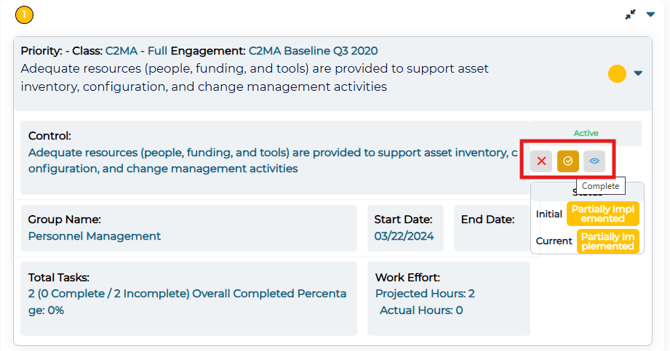
Once a Managed Finding is ready to be completed, it can be marked a such on main page.
Create a POA&M
-
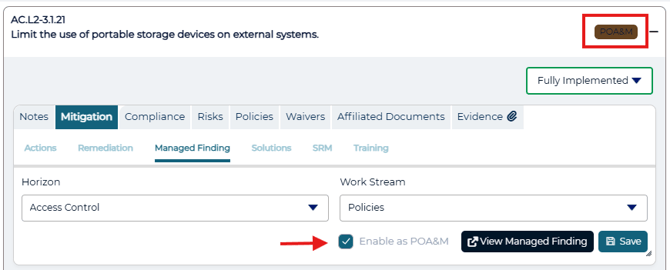
While viewing a control, select the Mitigation tab
-
Select Managed Finding
- Check the box 'Enable as POA&M'
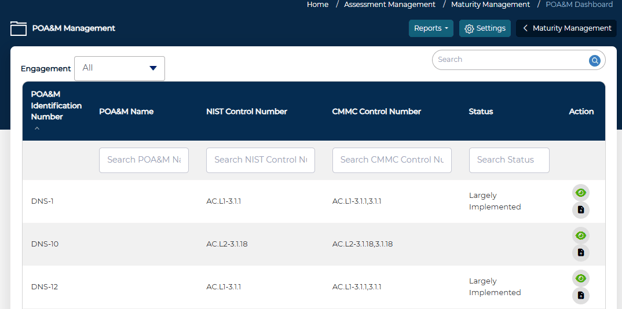
All POA&M's can be found in POA&M Management
-
-
Maturity Management > Manage POA&M's
-
Managing SSPs
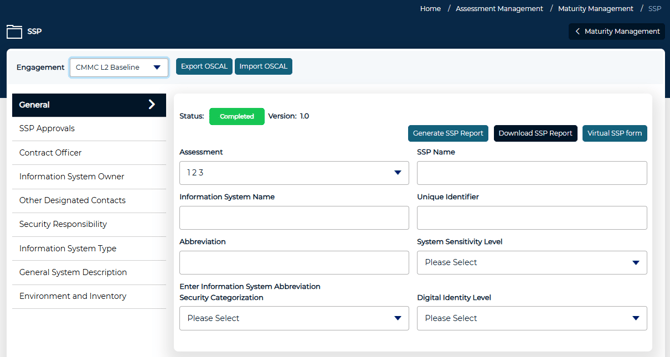
To manage and view an engagement's SSP, select the SSP button on the main Maturity Management page.
Visuals & Reporting
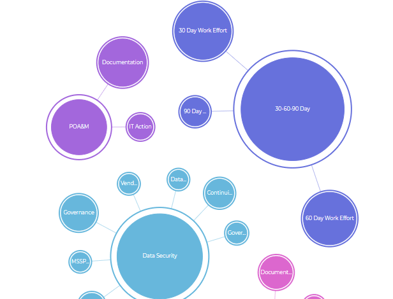
Bubble Chart – An interactive view linking POA&Ms, Horizons, Work Streams, and Practices.
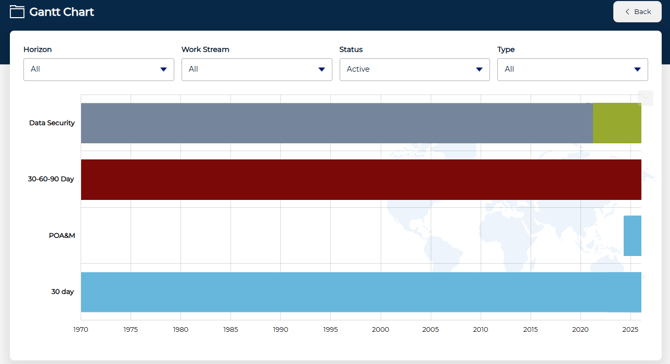
Gantt Chart – Timeline visualization to track tasks and dependencies across initiatives.