
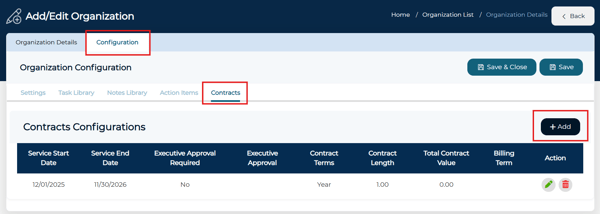
Add Contracts at the Organization Level
- Navigate to Administration >Manage Organization
- Select to edit the organization
- Go to Configuration > Contracts
- Add the desired contracts you want clients to inherit
Enable Contract Inheritance for Clients
- Navigate to Administration > Manage Clients
- Select to edit the client associated with the organization
- Click the Client Contract button
- Toggle on the 'Inherit Contract' option
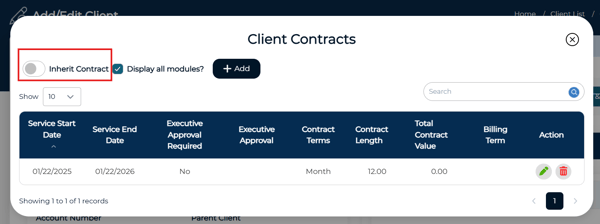
All contracts created at the organization level will automatically apply to newly created associated clients.
For more information on create contract line items, please click here.