Before you can use this feature, the subscription must be enabled for your Cyturus client entity. For step-by-step instructions on activating the policy analysis subscription, visit:
https://support.cyturus.com/kb/how-do-i-enable-the-policy-analysis-feature
Once the subscription is successfully activated, the Policy Manager will display three new action buttons for each selected policy, as shown below:
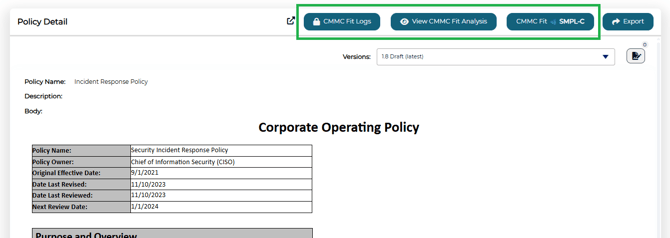
 - This primary button initiates a policy analysis.
 - This button displays the most recent analysis results associated with the selected policy.
 - This button provides access to the analysis logs, including details on each attempt—such as status, user, and timestamp.
Performing the Initial (or follow up) Analysis
When you select the analysis button for the first time, the system will initiate a policy review with SMPL-C, which typically takes about 30 seconds to process. While this is processing you will see two things:
- The "CMMC Fit SMPL-C" button till say Analyzing, and
- A message will be displayed letting the user know the analysis is in progress.
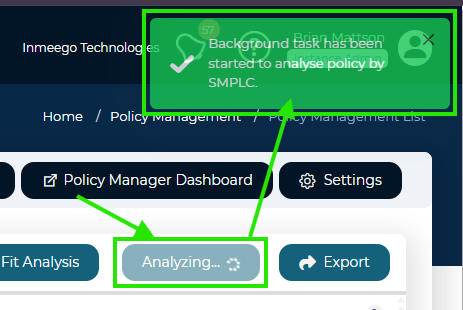
Once complete, the user is displayed with a notification that the process has completed, and the user is offered the opportunity to view the analysis at this time:
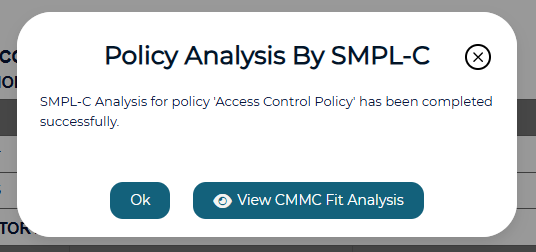
If an error is displayed, try the analysis again. If it still fails contact support for more information.
Reviewing the Analysis Results
Once complete, the results are displayed in four dedicated reporting tabs:
- Summary: Delivers an executive summary highlighting overall findings. Additionally, you can download the report to view offline from this tab:
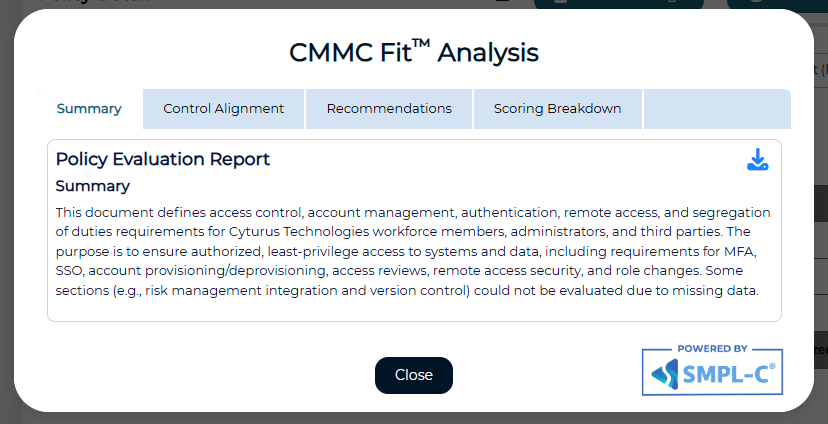
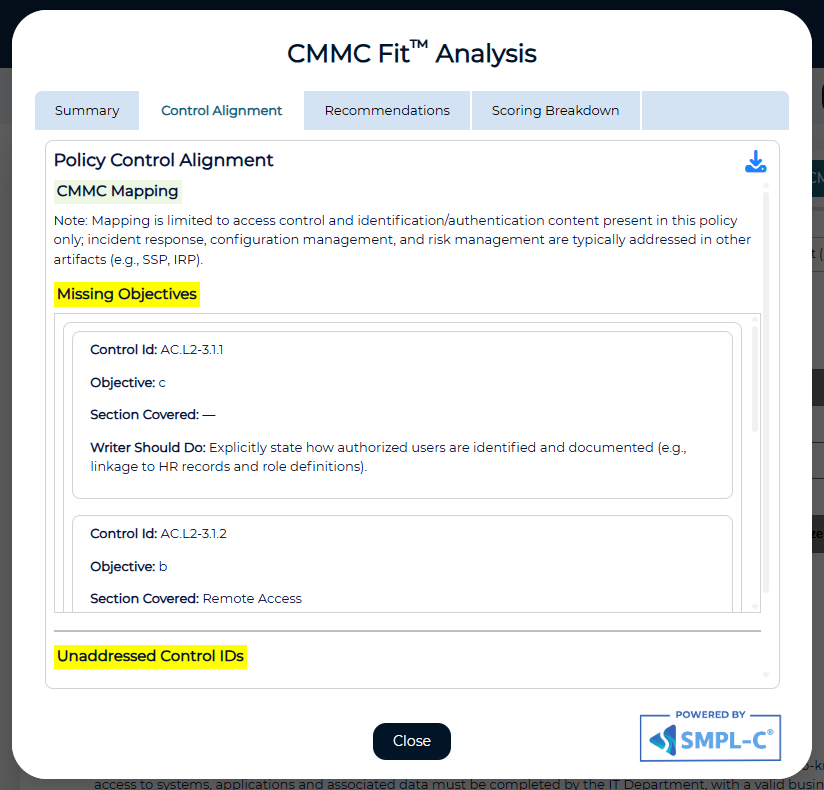
- Control Alignment: This tab displays just how much of the CMMC objectives the policy covers, or doesn't cover, wand which specific controls:
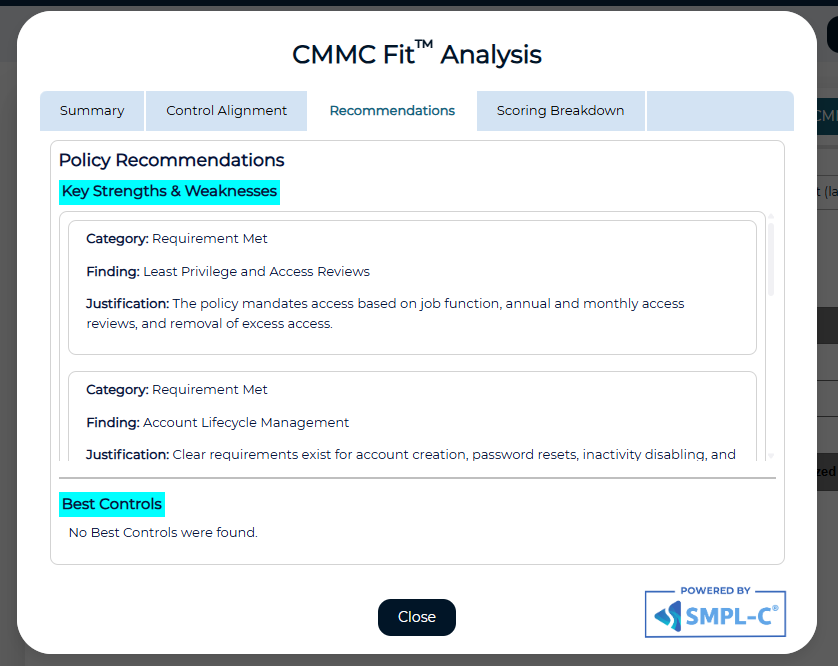
- Recommendations: This tab shows recommendations on how to improve the policy the bring it more into compliance with CMMC requirements:
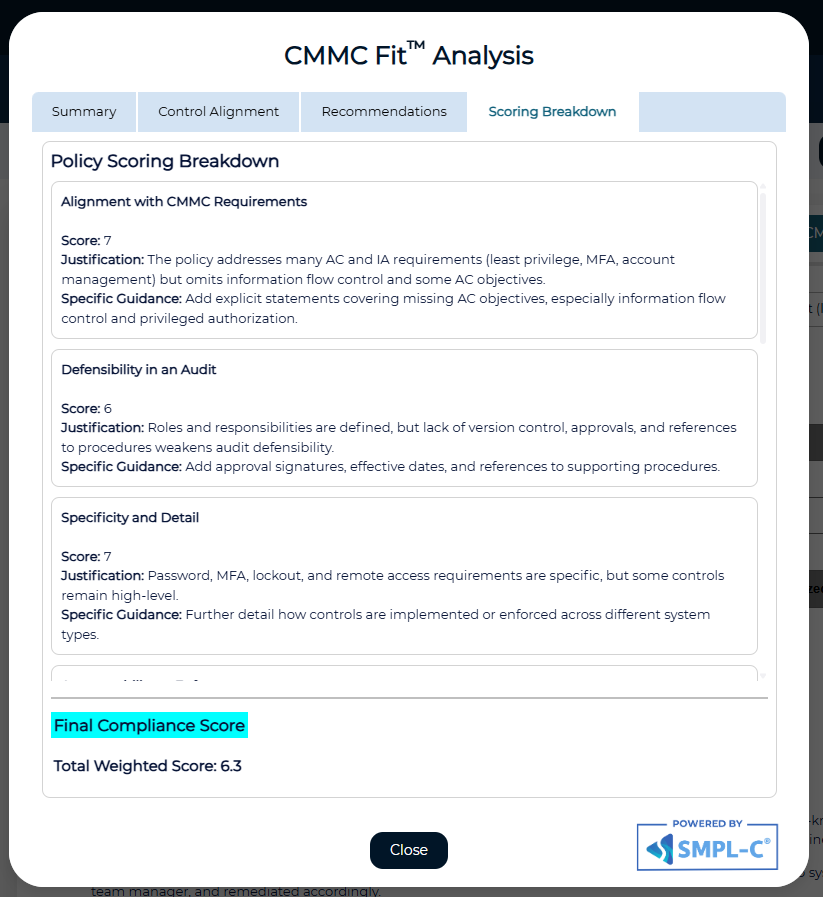
- Scoring Breakdown: This tab shows just how specific areas of the policy played into the overall scoring algorithm: