
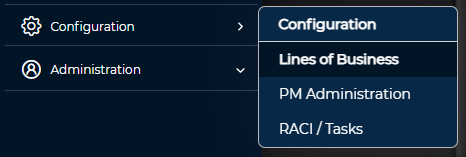
⚠️ Lines of Business is only available for users who are Instance Admins, Client Admins, Risk Admins or Risk Managers.
Creating a Business Division/Unit
- From the Lines of Business Management page, select the Management button
- Select the Add button, enter the name of the Business Unit and select Save.
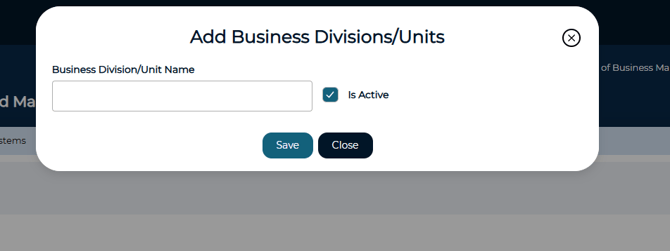
⚠️ A Business Unit must exist before a Line of Business can be created
Creating a Line of Business
- From the LOB Management page, select the Add button

- Enter the required LOB details and click Save

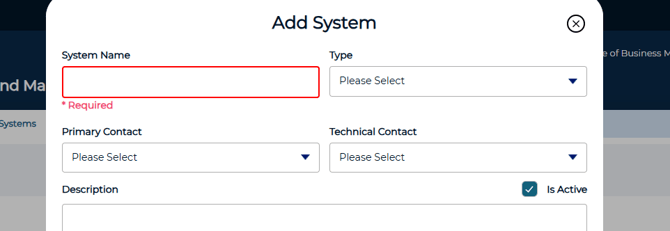
Creating a System
- From the Line of Business Management page, select the Management button
- Select the Systems tab and click the Add button
- Enter the System's details and select Save
Associating Systems to a Line of Business
- From the Lines of Business Management page, select edit next to the LOB
- Select the Systems tab and then Add
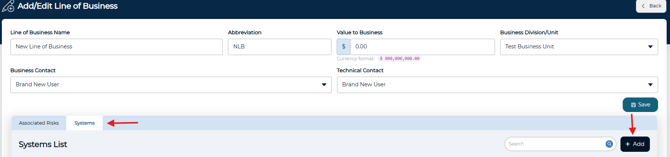
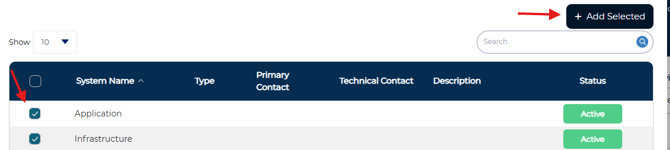
- Select the systems you would like to add and then click Add Selected
- Once all systems have been added, click Close