
The SMPL-C policy analysis feature is a paid subscription that must be purchased outside of the Cyturus application.
Activating the SMPL-C subscription
To learn how to activate your SMPL-C subscription - and obtain the license details required for entry into the Cyturus CRT - please review the following video:
https://app.storylane.io/share/6fxs8kikhave
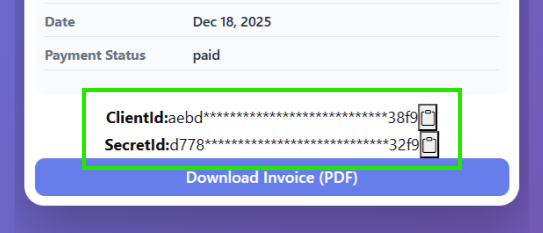
When activating the subscription in the CRT, you will need the following information as shown below:
- Your SMPL-C ClientID
- Your SMPL-C SecretID
If you have any questions or issues registering for the SMPL-C subscription using this guidance, please contact SMPL-C directly at: (202) 505-8492.
Setup within the CRT
This option may only be completed by users with the role of Instance, Organization, or Client Administrator OR hold the Technical Admin entitlement.
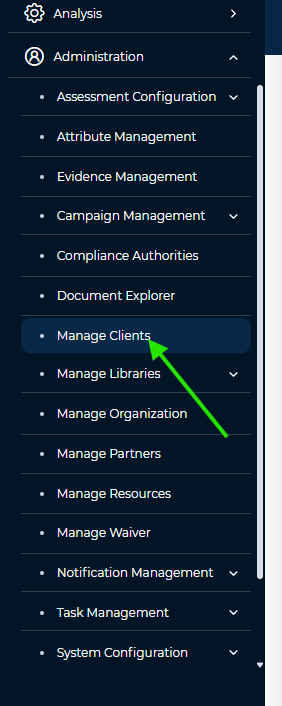
- To configure the subscription in the CRT using your license key information, navigate to Administration > Manage Clients.
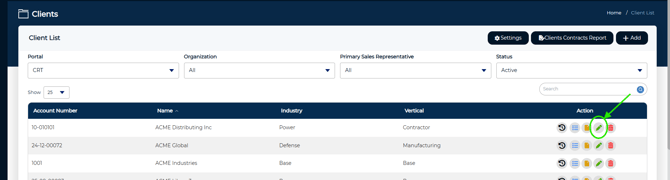
- Next, open the client record you want to configure the subscription for.
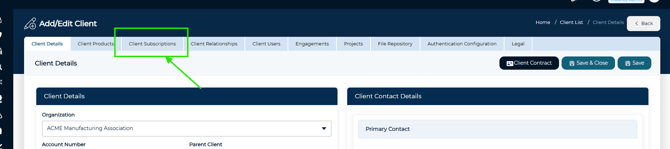
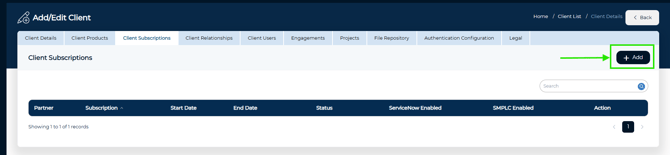
- Once you have opened the client record, select the Client Subscriptions tab.
- Click the Add button.
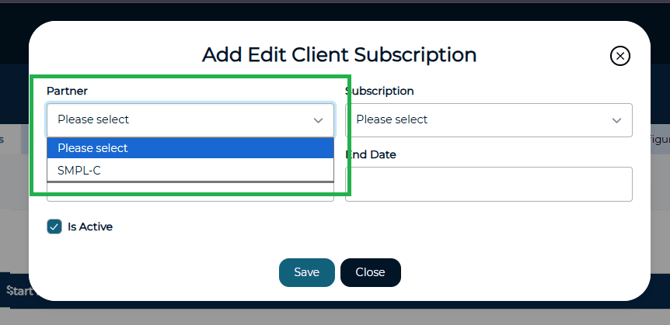
- From the "Partner" dropdown, select SMPL-C.
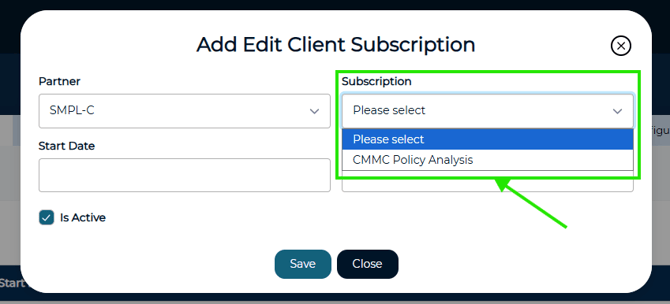
- From the "Subscription" dropdown, choose CMMC Policy Analysis.
- Specify the subscription start and end dates.
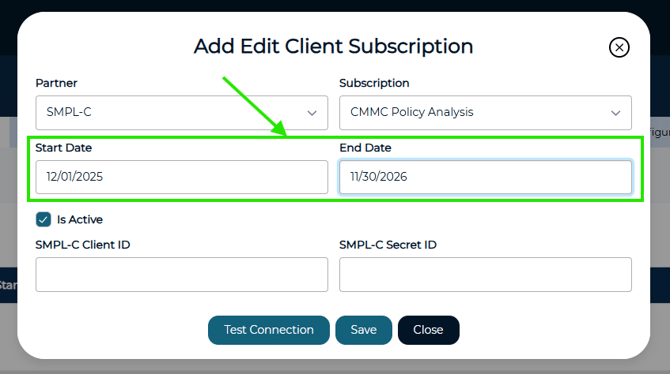
- Finally, enter your SMPL-C ClientID and SecretID obtained in the earlier step.
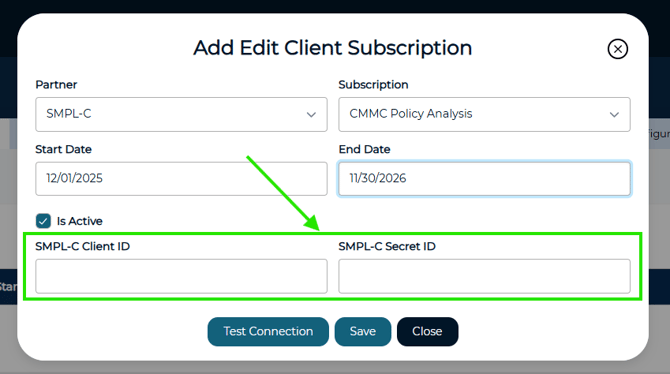
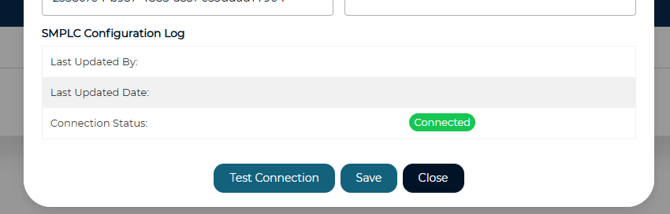
- Click Save. The CRT will attempt to validate your subscription. If validation is successful, the status will display as Connected. If you see any status other than **Connected**, re-enter your information, then select Save and then Test Connection.
To utilize the new functionality visit the following Knowledge Base article for more information:
https://support.cyturus.com/kb/how-do-i-utilize-the-new-policy-analysis-feature