
⚠️ You must have admin rights to complete the actions below
1. Accessing Repository Configuration
From the Client Details form, select the File Repository tab.
This view displays the available repository options for the client. Multiple repositories can be configured for engagements, while single repositories are used for other modules
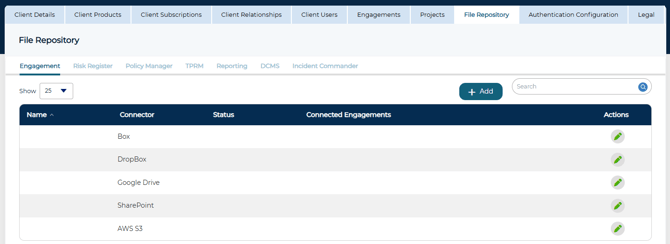
If the expected repository type is not available, please check for it at the instance level or contact Cyturus to get them activated.
2. Configuring a Repository
Select the green pencil icon to edit the repository configuration. The Repository Details form will be displayed.
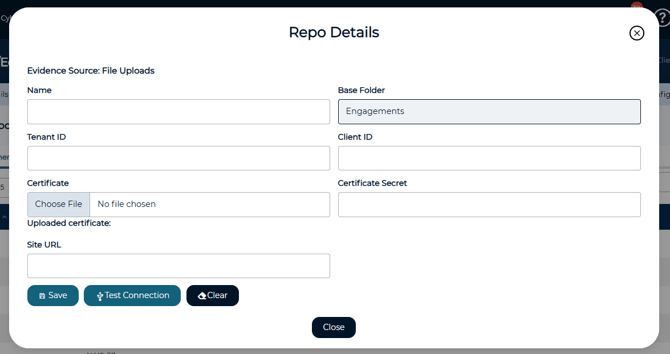
Cyturus does not perform repository configuration, and connection details are never provided to Cyturus resources. This configuration must be completed before evidence can be attached to an engagement.
Once the Repository Details form is available, configuration must be completed based on the selected repository host. Refer to the host specific instructions below.
Repository Types
➡️ Next Steps: