Once a document is submitted, it enters the approval workflow based on the selected approver process.
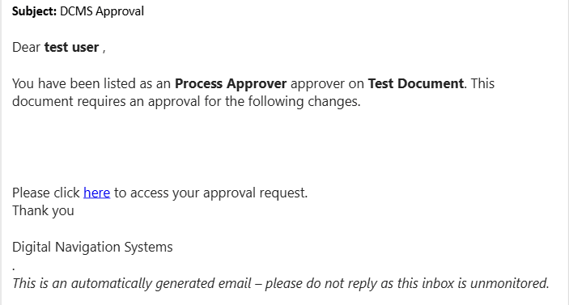
Approvers are notified by email and can access the document from the DCMS module.
Review and Approval
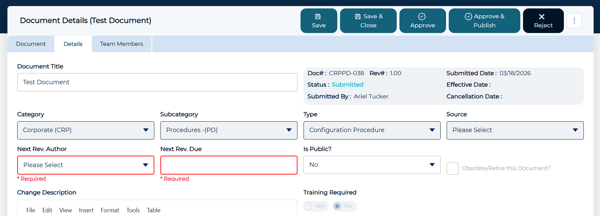
Approvers can open the document and take one of the following actions after reviewing and inputting the Next Rev. Author and Due Date:
- Approve
- Confirms the document moves it forward in the workflow
- Approve & Publish
- This option appears if the approver is the only approver type listed
- Reject
- Places the document back in draft status
If multiple approvers types are assigned, the document will follow the defined approval order.
Publishing a Document
Once all required approvals are completed, the document can be published.
Publishing finalizes the document and makes it available as an approved, controlled document.
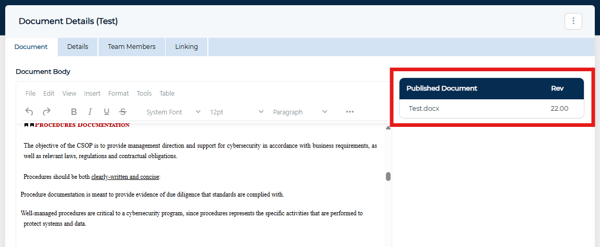
Once published, the document appears under Published Document in the Document tab with its revision number and can be downloaded by selecting it.