
Change requests (CRs) allow Contributors to propose modifications to published documents in DCMS. Once all desired changes have been captured, a Change Request Notification (CRN) groups them together and initiates the document revision process.
Create a Change Request
1. Navigate to the DCMS module and locate the published document you need to update.
2. Select the Change Request Icon
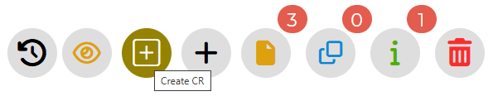
3. Enter the change description
4. Select Save to submit the CR.
Repeat steps 2–4 if additional change requests are needed for the same document. You can create multiple CRs against a single published document.
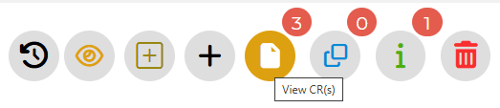
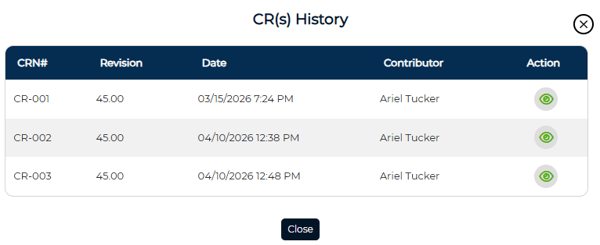
Once created, your change request will be added to the change request list as shown below
Create a Change Request Notification
Once all change requests have been submitted, the next step is to create a Change Request Notification (CRN). A CRN can only be created after at least one CR exists for the document.
1. From the published document, select the option to create a Change Request Notification (CRN).
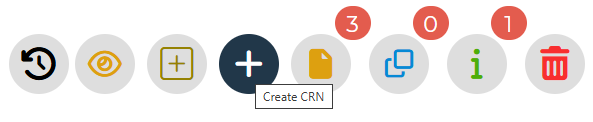
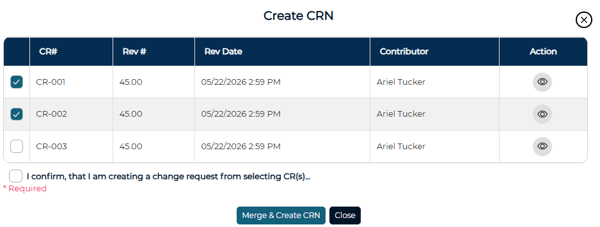
2. Select the relevant change requests to include in this notification. You can include one or more CRs.
3. Select the conformation, then Merge and Create CRN.
4. Edit the document as needed. You can update the document body on the Document tab, review the Details tab, and assign approvers on the Team Members tab.
5. Once all edits are complete, select Submit to send the revised document into the approval workflow.